How to Get WhatsApp Notifications from Framer Forms

Framer has one of the best form builders in the no-code space. You design the form visually, add custom states, style everything to match your brand, and it just works. No plugins, no third-party form services.
But there’s a gap.
When someone submits your form, the notification goes to email. And if you’re like most people, you’re not staring at your inbox all day. You’re designing, you’re on calls, you’re doing client work. That submission sits unread for hours.
By then, whoever filled out your form has already heard back from someone else.
I built FormBeep to close that gap. It adds WhatsApp notifications to your existing Framer forms. One script tag, no workflow tools, no rebuilding anything.
Here’s the full setup.
What You’ll Need
- A FormBeep account (free, no credit card)
- A Framer site with at least one form
- Your phone with WhatsApp
The whole thing takes about 5 minutes.
Step 1: Create Your Account and Verify WhatsApp
Go to app.formbeep.com and sign up. Google, GitHub, or email all work.
After signing up, you’ll verify your WhatsApp number. Click Verify WhatsApp, scan the QR code, and send the message it generates. That’s the entire verification. No Meta Business account, no API approvals.
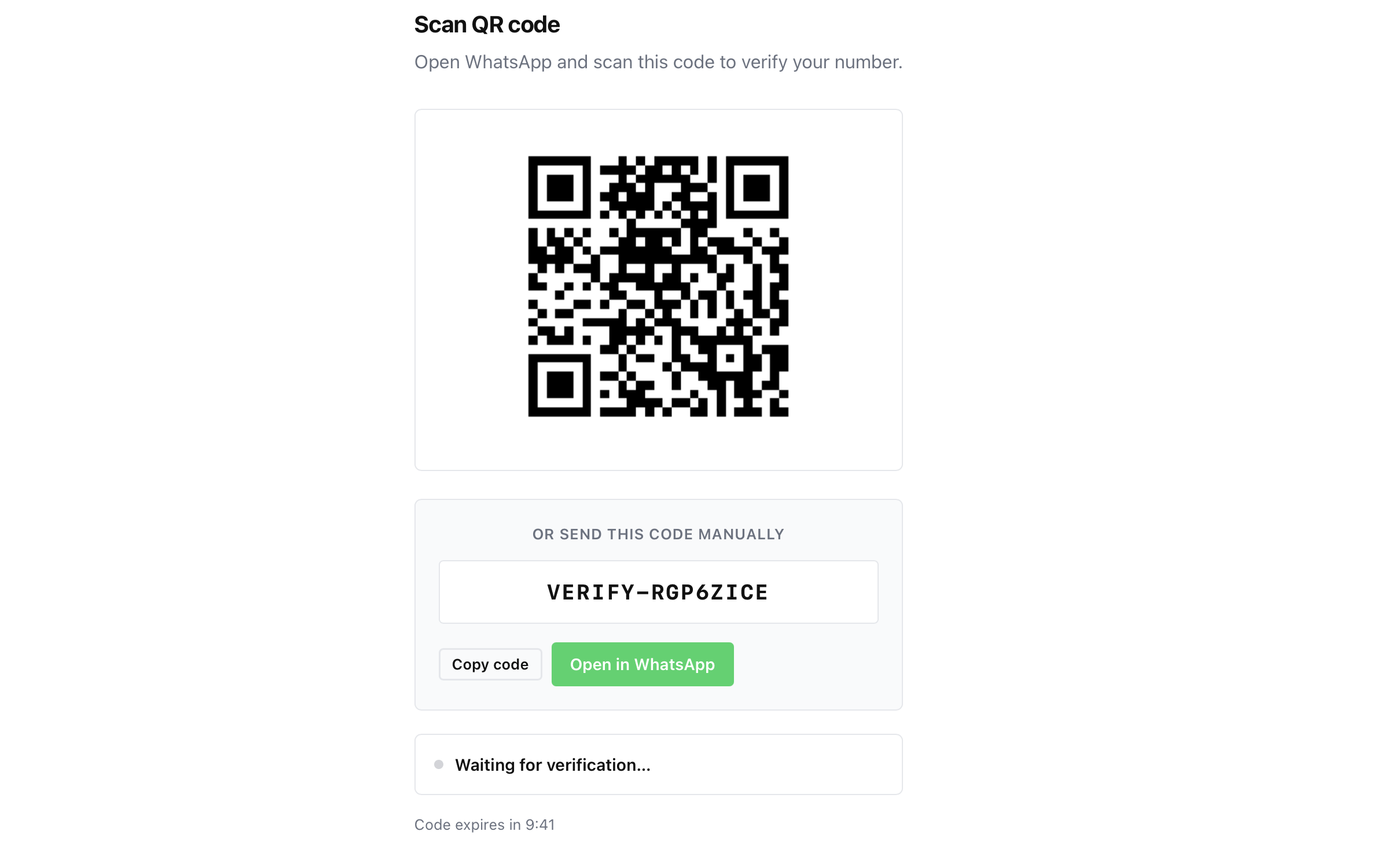
The Free plan includes 50 alerts total.
Step 2: Add Your Framer Domain
Go to Domains in the FormBeep dashboard and click Add Domain.
Enter the domain your Framer site is published on:
yoursite.framer.websiteif you’re on Framer’s free subdomainyourdomain.comif you’ve connected a custom domain
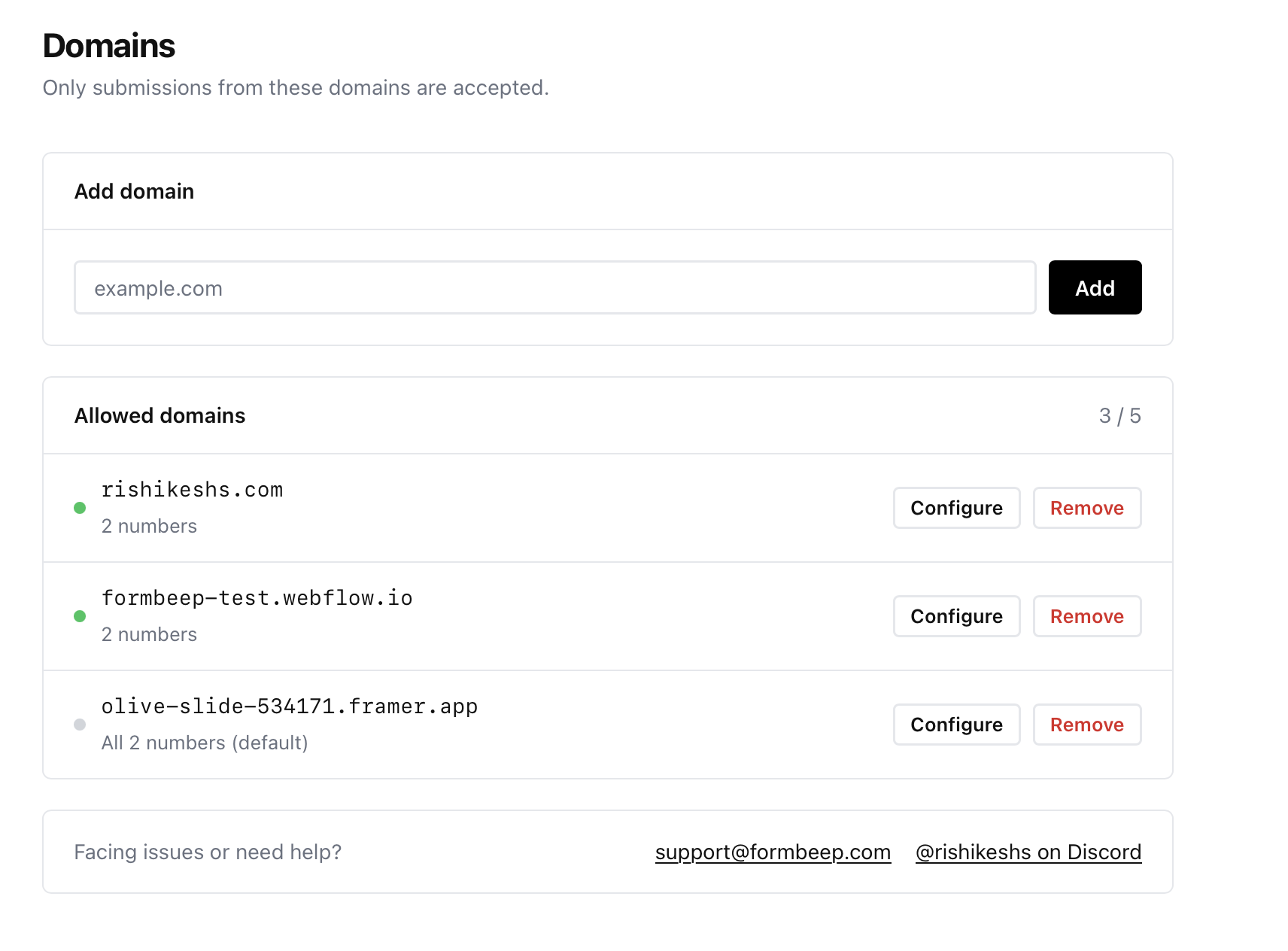
Match it exactly to what shows in the browser address bar. No https://, no trailing slash, no www unless your site actually uses it. This is a security step — FormBeep only processes submissions from domains you’ve explicitly allowed.
Step 3: Add the Script to Framer
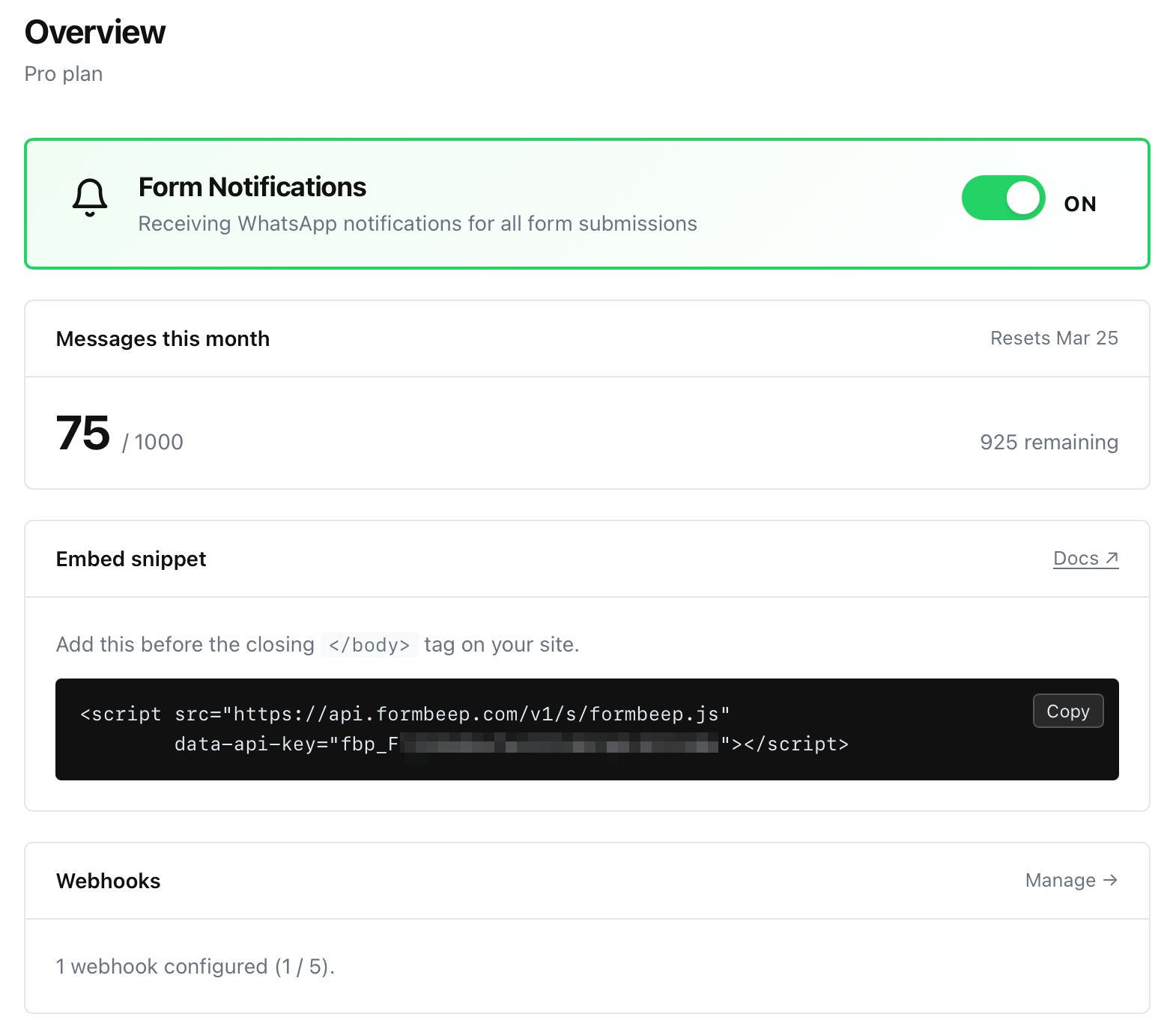
Copy your embed snippet from the FormBeep dashboard (Overview page):
<script src="https://api.formbeep.com/v1/s/formbeep.js"
        data-api-key="YOUR_API_KEY"></script>
Now open your Framer project and go to Site Settings → Custom Code.
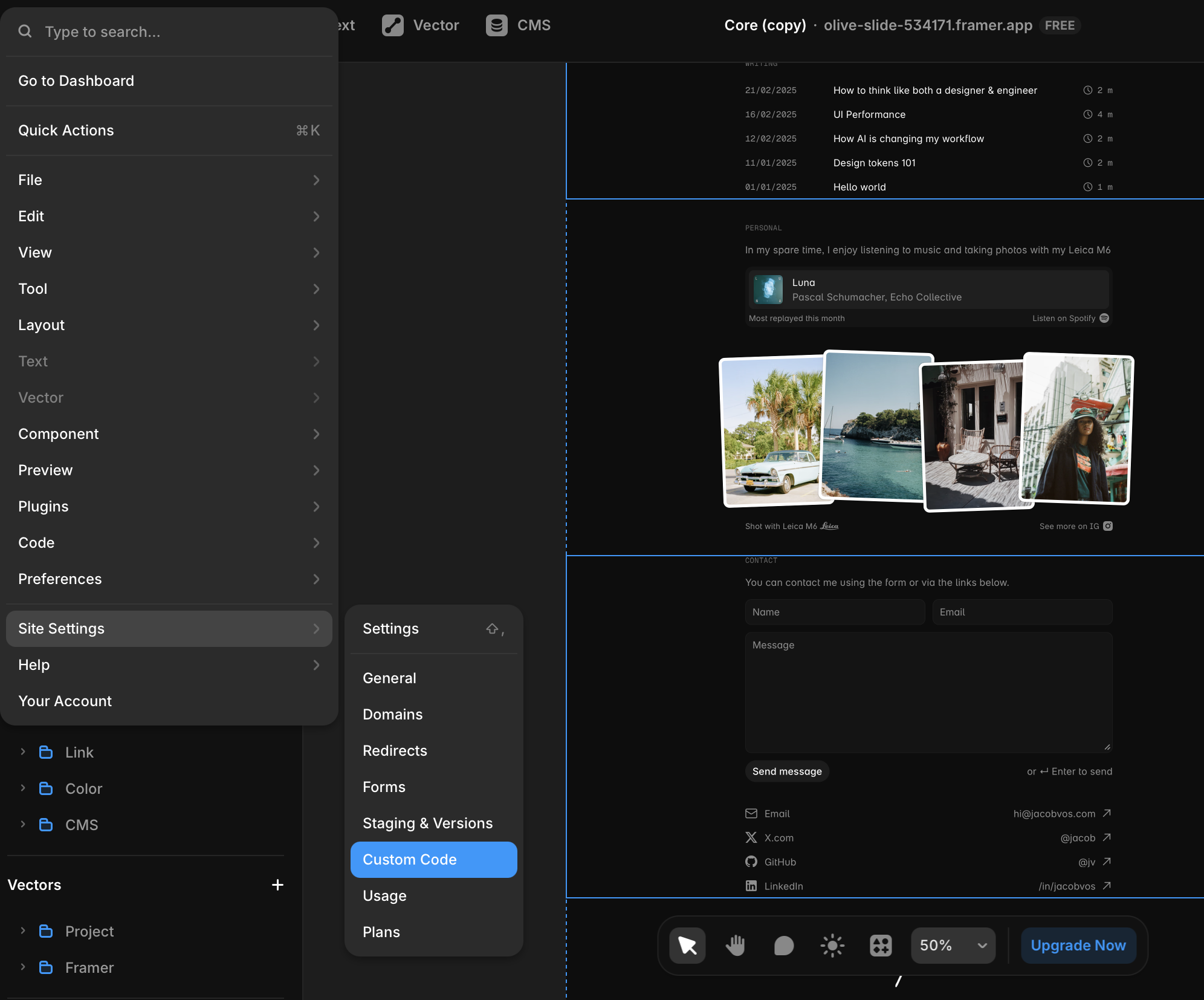
Click Add Script and fill in the details:
- Name: FormBeep
- Placement: End of
<body> - Page: All Pages
- Run: Every Page Visit
- Code: paste your FormBeep snippet
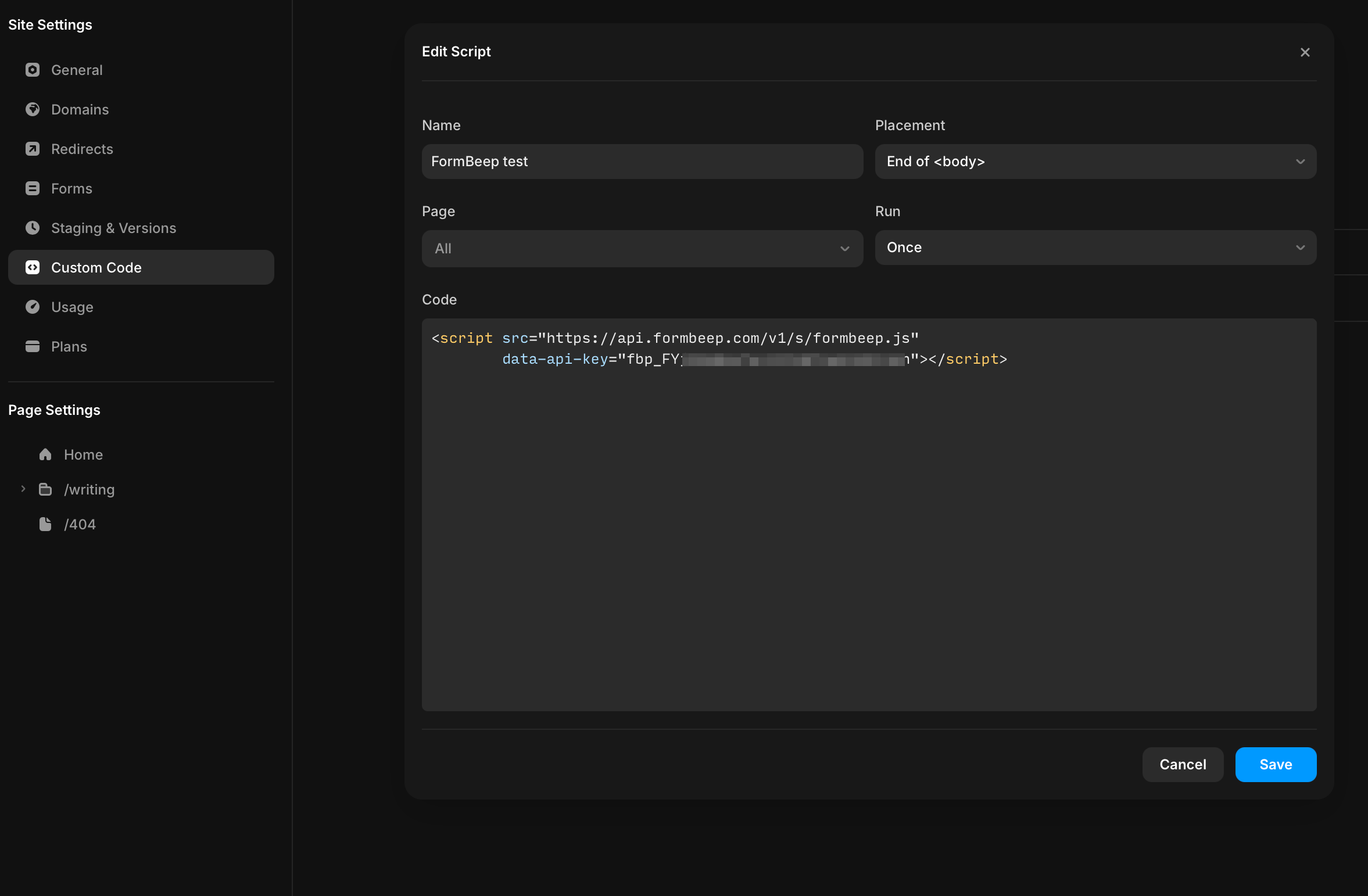
Click Save.
This loads FormBeep across your entire site, so every form on every page will trigger WhatsApp notifications. If you only want notifications from a specific page, you can scope the script to that page instead of “All Pages.”
For more details on adding scripts in Framer, check out Framer’s official guide on custom code.
Step 4: Publish and Test
Hit Publish in Framer. Go to your live site (not the editor preview) and submit a test form.
Within seconds, you should get a WhatsApp message:
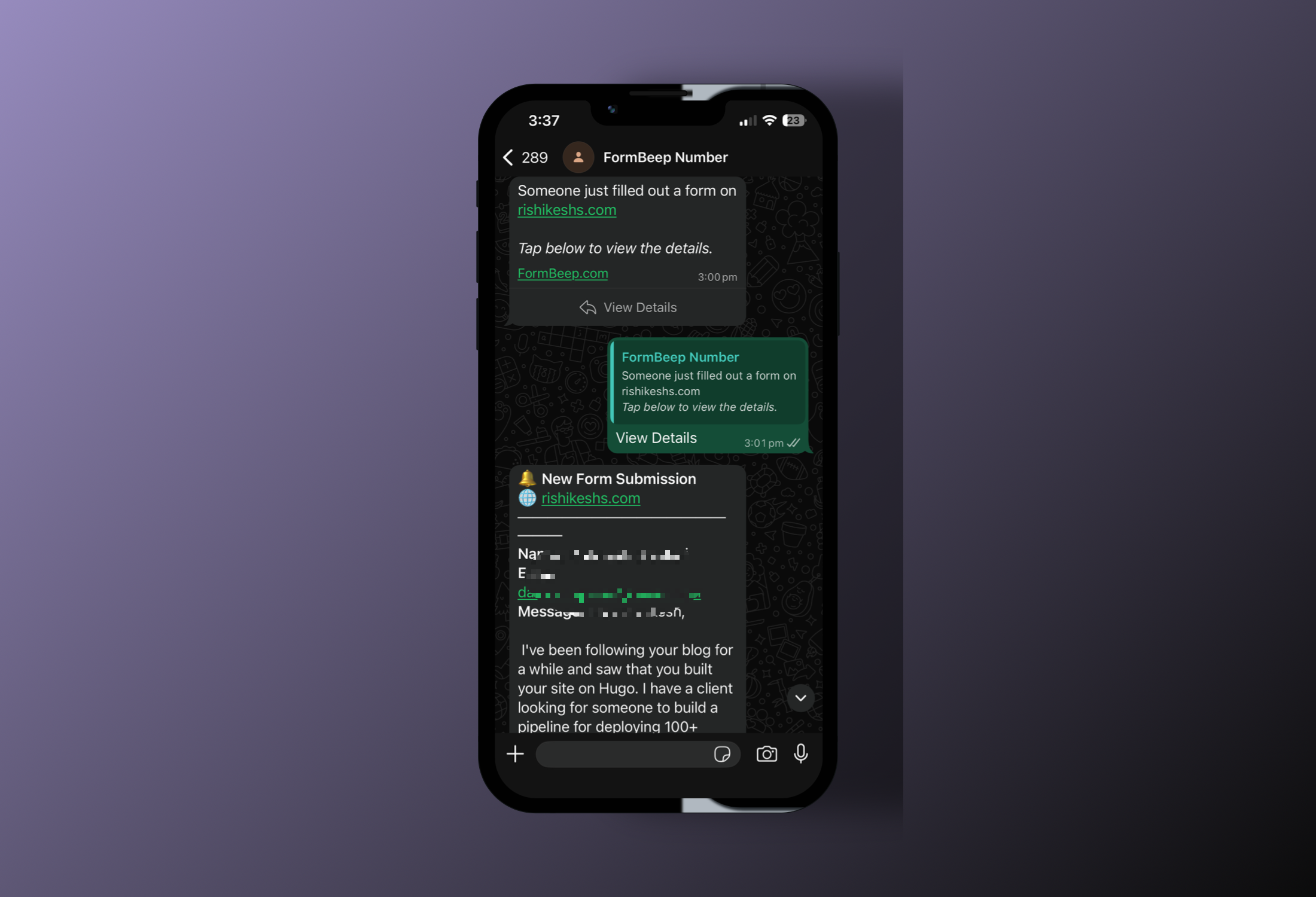
Tap View Details to see the full form data: name, email, message, whatever fields your form collects.
Once you view it, the data is permanently deleted from FormBeep’s servers.
How It Works
FormBeep runs alongside your form, not instead of it. Here’s what happens when someone hits submit:
- Visitor submits your Framer form. Framer handles it normally. Success message shows, data goes to Framer’s dashboard, email notification fires. Everything works as before.
- FormBeep reads a copy of the submission. The script captures the form data client-side and sends it to FormBeep’s API on Cloudflare’s edge network.
- You get a WhatsApp message. A template message arrives with a “View Details” button.
- You tap View Details. FormBeep sends the full submission data as a follow-up message.
- Data deleted. The submission is permanently erased from FormBeep’s servers. Not archived, not soft-deleted. Gone.
If you don’t view a submission within 7 days, it auto-deletes anyway.
The key thing: your Framer form keeps working exactly as it did before. FormBeep is a layer on top, not a replacement. Remove the script and everything goes back to normal.
Why Not Just Use Email?
Email notifications are fine in theory. In practice, they compete with everything else in your inbox.
78% of customers go with the first business to respond. Not the cheapest, not the most qualified. The first. When a lead submits your contact form, you have a small window before they move on.
WhatsApp messages have a 98% open rate. Most get read within minutes. Email sits around 20%, and that’s being generous because “opened” doesn’t mean “actually read and acted on.”
The math is simple. Faster notification means faster response means more conversions. That’s the entire value proposition. If you want to go deeper on this, I wrote about why slow form notifications are costing you leads.
Troubleshooting
No notifications after publishing? Check that the domain in FormBeep matches your published Framer URL exactly. If your site is at www.example.com, add www.example.com, not example.com.
Script doesn’t seem to be loading? Make sure you set Placement to “End of <body>” and Run to “Every Page Visit” in Framer’s custom code settings. If either is wrong, the script won’t fire correctly.
Framer form success state broke? That’s not FormBeep. FormBeep doesn’t touch your form’s behavior or DOM. Check your Framer form component settings and variants.
Getting duplicate notifications? Make sure you haven’t added the FormBeep script in both Site Settings and a page-level custom code block. One is enough.
FAQ
Does this work with Framer’s built-in form component? Yes. FormBeep detects standard HTML forms on the page, and Framer’s native forms render as standard HTML. No extra configuration needed.
What about custom HTML forms via Framer’s Embed component?
Those work too, as long as they’re standard <form> elements.
Will FormBeep affect my Framer form submission count? No. FormBeep reads form data client-side. The form still submits to Framer normally, so your Framer submission count stays the same.
Can I send to multiple WhatsApp numbers? Yes, depending on your plan. Free supports 1 recipient, Starter 2, Pro 5, and Agency 25.
Do I need a WhatsApp Business account? No. Notifications go to your regular WhatsApp number.
What happens to the form data? FormBeep temporarily stores the submission on Cloudflare’s edge network until you tap “View Details.” Then it’s permanently deleted. Unviewed submissions auto-delete after 7 days.
Does this work on Framer’s free plan? Yes. Custom code is available on all Framer plans.
If you’ve been losing Framer leads to slow email notifications, give FormBeep a try. The free plan is generous enough for most Framer sites — no credit card required. If you find value in it and need more, upgrading takes 30 seconds.
If you’re curious about why I built this in the first place, that story is here.
Need help setting it up? Email hello@formbeep.com or message me on Discord at rishikeshs. Happy to jump on a quick call if you’re stuck.
With love, Rishi
Related Articles
-
→
How to Get WhatsApp Notifications from Webflow Forms
Webflow's email notifications are fine. The problem is email itself. Here's how to get instant WhatsApp alerts from your Webflow forms. Works on all plans including free, no Zapier needed.
-
→
How to Get Notifications on WhatsApp from Form Submissions
Stop missing form submissions because they landed in spam. Here's how to get instant WhatsApp notifications from any website form without complicated integrations or webhook setups.
-
→
Why You're Missing Leads from Your Website Contact Form (And How to Fix It)
If you've ever had a client say 'I never got that form submission,' this post is for you. I dug into why form notification emails go missing and built something to fix it.