How to Get Notifications on WhatsApp from Form Submissions

As I had written in my why I built post, the idea of FormBeep came when a client asked me to build something similar for them since they were missing out on leads.
Unlike other forms and systems that require complex setup, FormBeep setup is quite simple. In a nutshell, you sign up, verify your number, add your domain, copy your code and paste it on your website. Boom, you’re done and good to go.
Read ahead if you want a more detailed explanation:
The Setup (Takes 5 Minutes)
Step 1: Sign Up and Verify Your Number
Go to app.formbeep.com and sign up. You can signup with Google, GitHub or your email. I don’t store any of this as this is handled by Clerk.
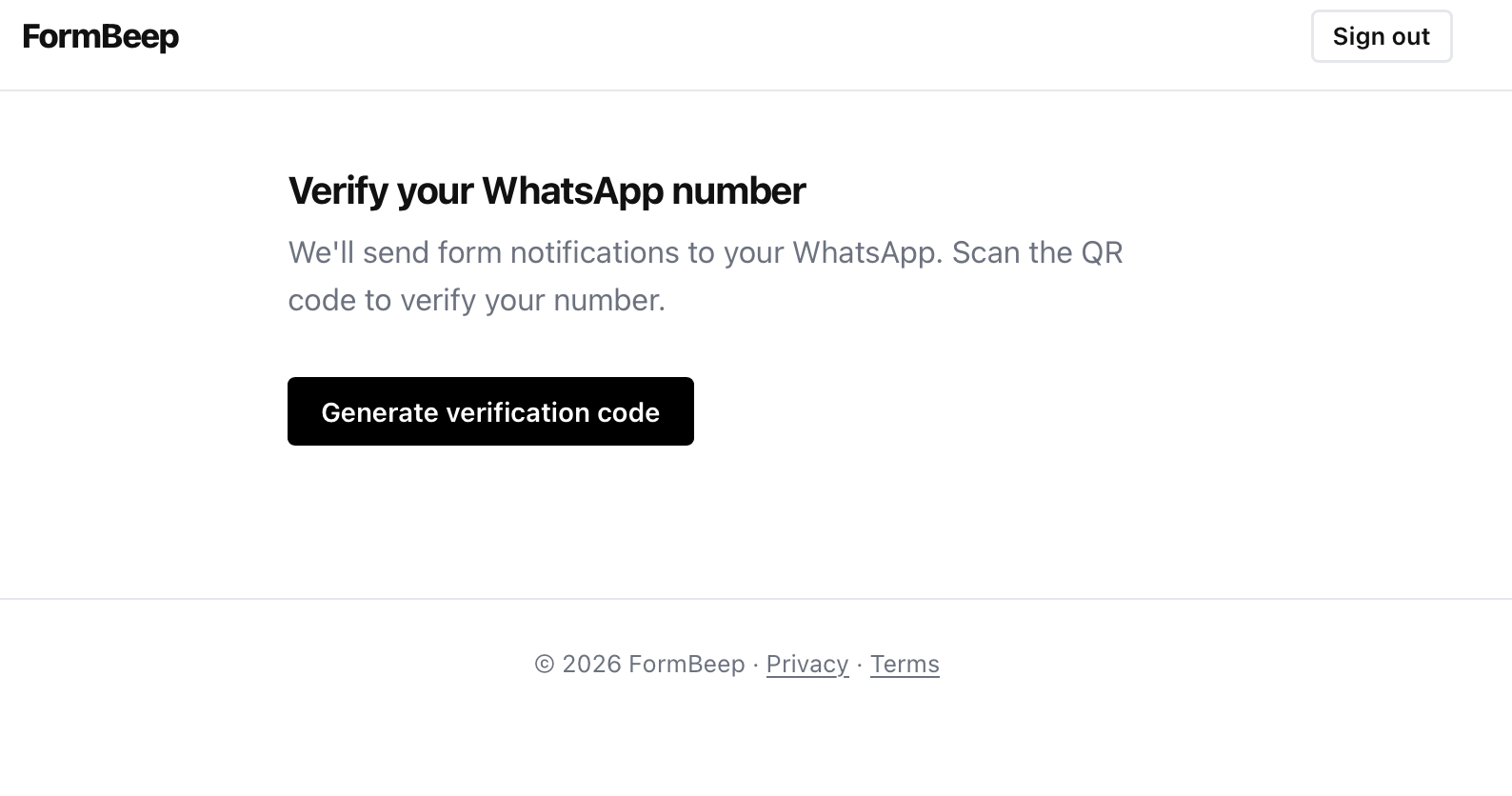
Now you will have to verify your number.
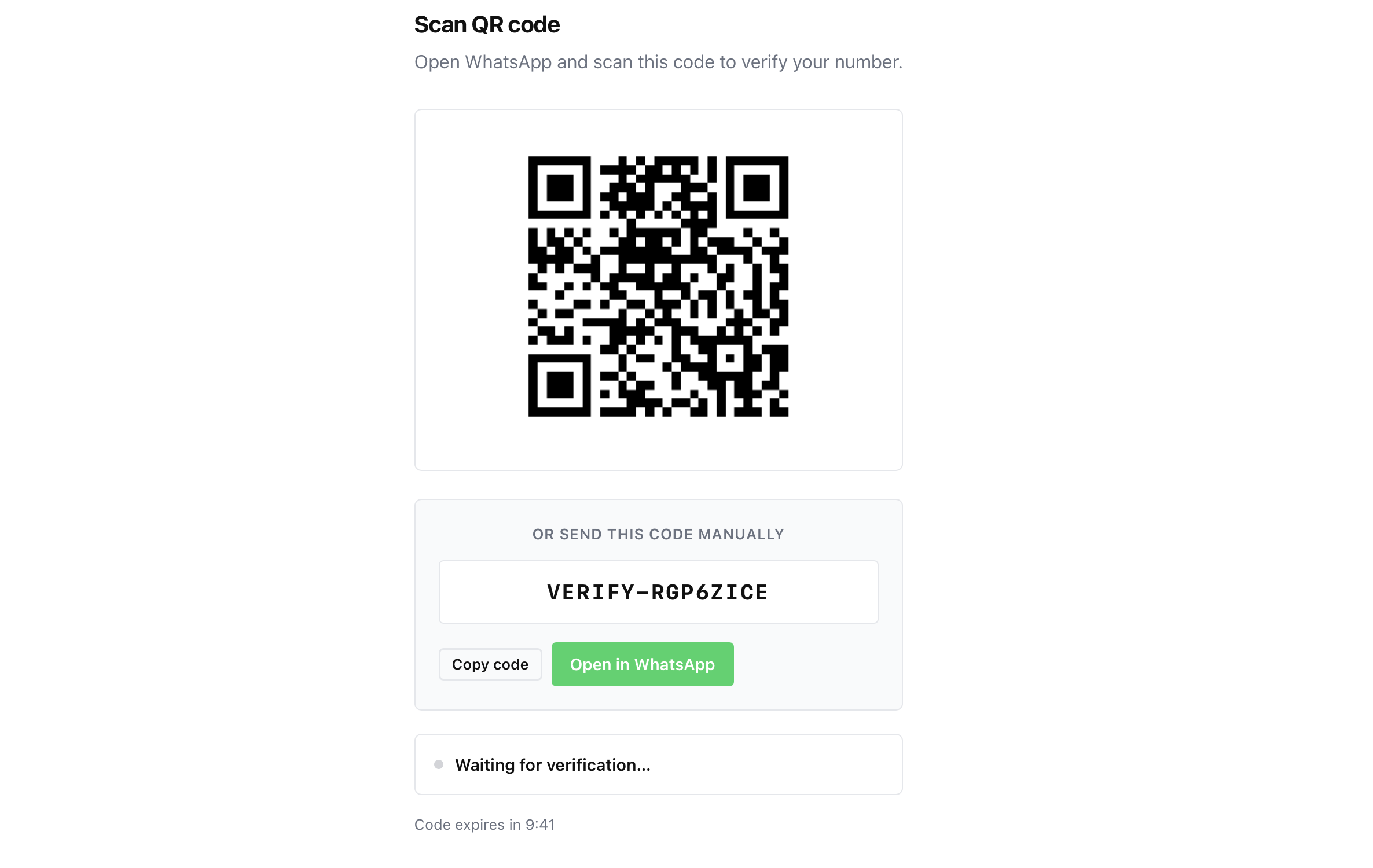
Scan the QR code, it will prompt you to open WhatsApp and send the verification message it generates. This confirms that you control the WhatsApp number where you want to receive notifications.
That’s it. No Meta Business account required. No API approvals. Just scan and verify.
Step 2: Add Your Domain
After verifying your number, add the domain where your form lives (e.g., example.com).
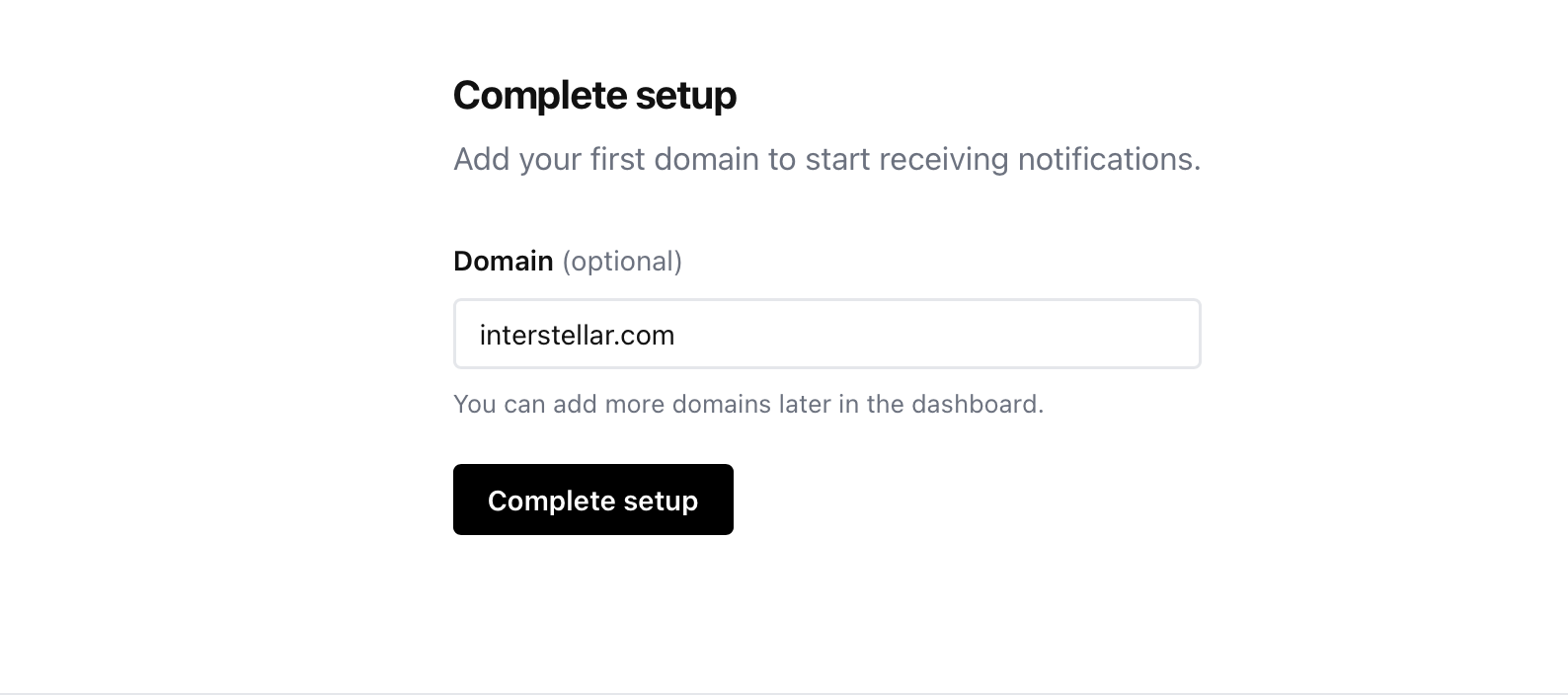
This is a security thing - FormBeep will only accept form submissions from domains you’ve explicitly allowed. It prevents someone from stealing your API key and spamming your WhatsApp with fake submissions.
Step 3: Get Your Embed Code
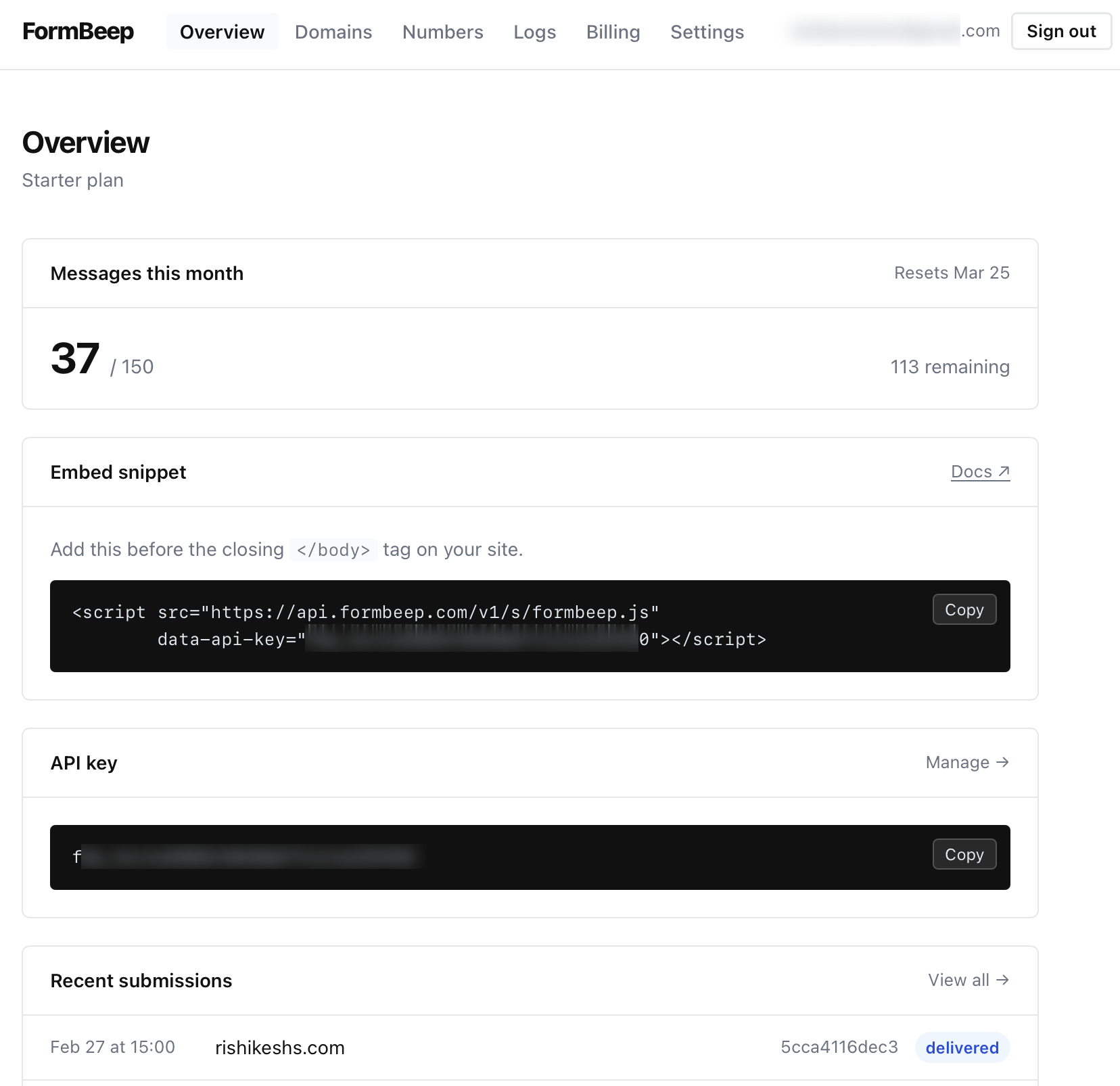
On the dashboard, you’ll see an embed snippet that looks like this:
<script src="https://api.formbeep.com/v1/embed/formbeep.js"></script>
<script>
  FormBeep.init('your-api-key-here');
</script>
Copy it and paste it before the closing </body> tag on your website. That’s it.
If you’re using Wordpress, Cardd or other CMS generators, checkout the documentation for more platform specific information. In most cases in such platforms, you have an option to add an HTML block or embed script block. You will have to copy the code there.
Step 4: Mark Your Form (Optional)
If you have multiple forms on the same page and only want to track specific ones, add data-formbeep="true" to your form:
<form data-formbeep="true">
  <input name="name" placeholder="Your name" required>
  <input name="email" type="email" placeholder="Email" required>
  <button type="submit">Send</button>
</form>
If you don’t add this attribute, FormBeep will track all forms on the page. For most sites with one contact form, you don’t need it.
What Happens When Someone Submits
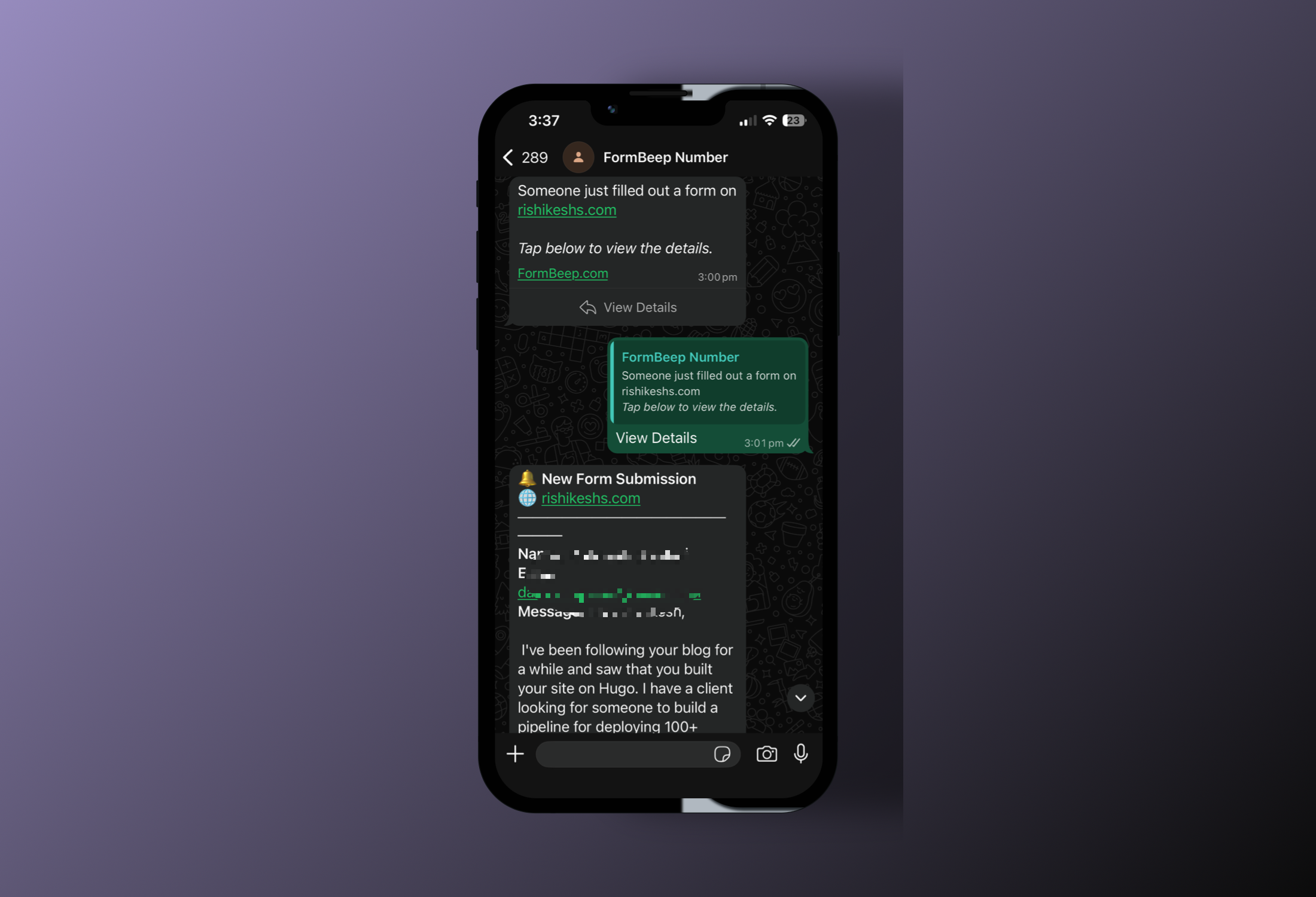
Here’s how the notification flow works:
- Someone fills out your form and hits submit
- FormBeep intercepts(never blocks) the submission and sends it to the API
- You get a WhatsApp message saying “New form submission from [your-domain.com]” with a “View Details” button
- When you tap “View Details,” you get the full form data - name, email, message, whatever fields they filled out
- The form data is permanently deleted from the database after you view it
The two-message pattern exists because of WhatsApp’s 24-hour messaging window (a restriction Meta enforces to prevent spam). The first message is a pre-approved template that works anytime. When you tap the button, it opens a service window so FormBeep can send the actual form data.
For Developers: Direct API Access
If you don’t want to use the embed script, you can hit the API directly:
fetch('https://api.formbeep.com/v1/submit/your-api-key-here', {
  method: 'POST',
  headers: {
    'Content-Type': 'application/json',
    'Origin': 'https://your-domain.com'
  },
  body: JSON.stringify({
    name: 'John Doe',
    email: 'john@example.com',
    message: 'I want a quote'
  })
});
Make sure the Origin header matches a domain you’ve added to your allowed list. Otherwise the submission will be rejected.
That’s It
No webhook configuration. No Zapier flows. No complicated integrations.
You paste one script tag, and form submissions show up on WhatsApp. If you want to add more WhatsApp numbers (for a team), you can do that from the dashboard. If you want to track multiple domains, just add them to your allowed list.
The Free plan includes 50 alerts total. If you need more, Starter is $9/month for 100 alerts across 3 websites.
And because I know how annoying it is to debug form submissions, you get a logs page on the dashboard where you can see every submission, when it was sent, and whether it was delivered.
A Note on Privacy
FormBeep doesn’t keep your form data. It stores submissions just long enough for you to view them in WhatsApp, then permanently deletes them. If you don’t view a submission within 7 days, it gets auto-deleted anyway.
No backups. No archives. Just temporary storage until you see the notification.
I’ve written extensive documentation that covers most use cases, including multiple WordPress plugins and different integration methods. If the documentation doesn’t answer your question or you’re stuck somewhere, feel free to reach out at hello@formbeep.com or send me a message directly on Discord at rishikeshs. Happy to help you with troubleshooting or even jump on a quick call to debug.
If you’ve been missing form submissions because they land in spam, or you’re just tired of checking another inbox, give FormBeep a try.
With love, Rishi
P.S: First 50 FREE users of FormBeep will get lifetime 50% off on any plan.